
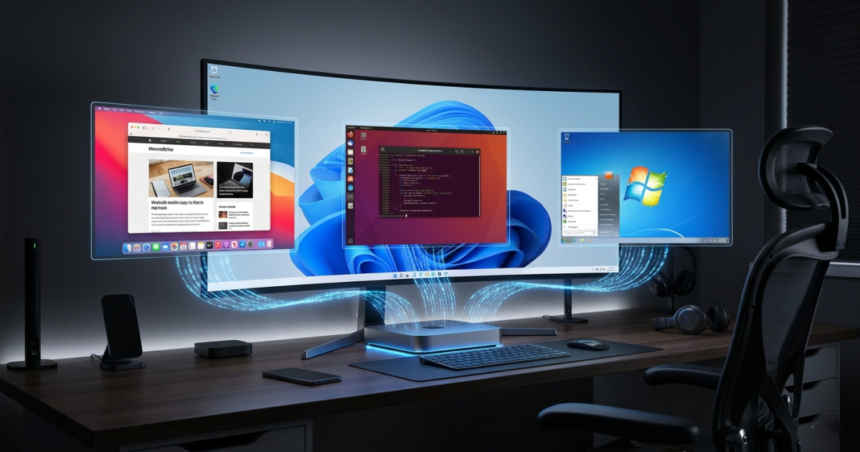
Virtualization technology has appeared and been associated with traditional operating systems since the beginning of the era of personal computers, as applications for it have been available for many years. Virtualization technology allows users to install one or more additional operating systems within the main operating system or enjoy its full benefits.
This means that you can have the “Windows 11” operating system as the main operating system, and then add more than one different distribution of the “Linux” system, with different versions of the “Mac” system for Apple, or even old versions of Windows itself such as Windows XP or Windows 7, so that the user can – with the push of a button – run any of them within Windows 11.
But, why do users need this technology? What are its advantages and disadvantages? How can we benefit from it directly?
Free environment for experiments
Virtualization technology has emerged as an ideal solution for software developers and users who like to try everything new. It allows them to build a closed virtual operating system within a closed environment that does not have access to the environment of their main operating system, and thus they can tinker and change the data of the virtual operating system and even try applications and technical adventures without fearing for the data of their main operating system.

This means that everything that happens inside the operating system installed inside the virtual device will not reach your main operating system. Even if the virtual system is subjected to a fierce hack resulting, for example, from a cyber attack, the main system and its files will be safe and will not be affected.
So users turn to this method to try a lot of things, from trying out dangerous applications that may be pirated and containing pirated data, or installing and testing pirated games, to visiting dark web sites, or even when feeling nostalgic for old operating systems and applications.
Some developers also rely on this method to test their applications directly within other operating systems and ensure that they work well and securely. This is a safer and more practical option than having a separate computer to test on.
A secure mechanism for browsing the Internet
It is known that users can install many anti-virus and anti-malware programs, but malicious attacks may target any operating system through any vulnerability that has not yet been discovered, and here lies the great importance of virtual devices in which what happens in them remains confined inside them and does not move to the main operating system.
In some cases, the user believes that he cannot risk the sensitive data installed on his device, so he prefers to use a virtual environment or a virtual operating system that does not have access to any sensitive data so that he can enjoy the Internet as he wishes without real restrictions on its use.
Some security researchers also turn to virtual operating system environments to test various vulnerabilities, search for vulnerabilities, or even review databases on the dark web. In this case, using virtual environments is an ideal solution for this matter.
How do virtual operating systems work?
The idea of virtual operating systems is based on a very simple idea so that you can run different systems, and it basically depends on cutting out part of the specifications and hardware of your device and allocating it to the virtual device.
This means that if you have a processor operating at a frequency of 6 GHz, for example, with a random storage space of up to 128 GB, a storage space of 2 TB, and a graphics card with processing power and large random memory, then you can allocate part of these specifications to be cut off for the default operating system. Of course, the system does not consume all of this part at all times, but it uses it when it is open and working.

Therefore, this truncation is nothing but software that can be canceled, modified, or even stopped at any time you wish once the virtual environment is stopped.
Virtual environment applications then allow the user to install whatever operating system he desires within his environment and benefit from the resources he has cut into the system.
It is generally recommended to run virtualized environment and system applications on powerful operating systems with powerful hardware, so that you can allocate appropriate hardware to the virtualized operating system.
There are many applications that allow users to install, run, and fully control virtual operating systems, the most prominent of which are as follows:
Parallels Desktop for Mac
A report by the American technical website “PC Magazine” indicates that the “Parallels Desktop” application is one of the best options and applications for running virtual operating systems very smoothly and quickly.
The application offers many advantages, according to what was stated in the report, starting from the ability to run Windows systems on Apple computers that come with its own architecture and even supporting advanced gaming architectures such as DirectX 11 to run the latest games in the virtual environment.
The application is one of the fastest options and interfaces available for building and running virtual operating systems. It also supports many old Windows systems and old Mac OS systems as well. It is characterized by an easy and quick installation experience for operating systems that does not require many presets, as well as the ease of canceling and disposing of them at any time you wish.
VMware applications
VMware is one of the oldest and most famous applications for working in virtual environments. It was developed by Broadcom. There is a version for companies and Windows computers, which is VMware Workstation Pro, and another for Mac computers, which is VMware Fusion Pro. There is also a free version for personal use.
The application offers many advantages that make its use superior to other competitors, according to a report by the American technical website TechRadar.

Among its most important features is the ability to install more than one operating system together, as well as the ability to allocate part of the graphics card to operating systems, which makes it suitable for enjoying professional games directly from the system.
The application offers a unique feature in Mac OS systems, as it allows the user to install applications directly through the main system and run Windows applications as if they were running inside Mac systems, which saves time and effort for users.
“Virtual Box” application
The Virtual Box application provides a unique and simple user experience for anyone who wants to try different operating systems directly within their main operating system.
It does not require much effort to install the application and benefit from it directly. All you need is to install the application, then choose the operating system you want to customize and let the application do the rest.

The application supports a wide range of different operating systems, from “Windows 3.1” to “IBM OS” to “Windows 11” and “Windows 10”, and the same applies to “Linux” and “Mac” systems.
The application comes with direct support from the famous Oracle company and provides easy and comprehensive integration and integration with all its systems, making it an ideal choice for professionals.
Hyper-V application from Microsoft
Microsoft provides its own application for running operating systems and virtual environments, which differs from other virtual environment applications thanks to its easy interface and the ability to access more device resources.

Instead of needing to install an external application that sits as an intermediary between the default operating system, the main operating system, and the device specifications, the “Hyper-Fi” application directly accesses the main operating system and the hardware installed in the device, giving it greater access to the device specifications and great compatibility with them.
It can be said that it is an ideal choice for users who do not have sufficient experience and are looking for an easy solution that is compatible with all Windows and Linux systems.