
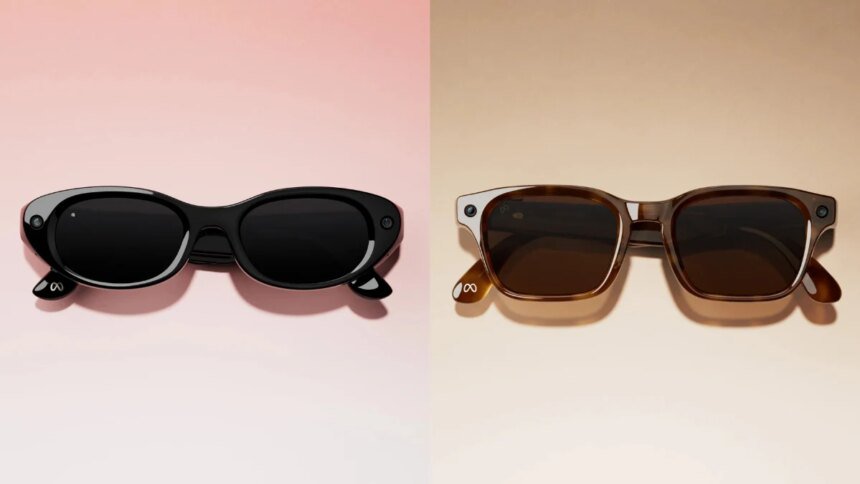
Instagram announced new story creation tools for Ray-Ban Meta, Oakley Meta, and the new Meta Glasses on Wednesday. The Redmond-based tech giant is bringing native editing tools for capturing footage using Meta’s smart glasses. Also among the additions are Spin View Stories and Multi-Cam support, which allow creators to capture and produce immersive content using multiple camera angles, adjusted video framing, and better audio, from the first-person point of view (PoV).
In a press note, Instagram said that among the headlining features is Spin View. It is a new interactive format for Instagram Story that allows viewers to explore a creator’s PoV footage by physically interacting with their smartphone. They can pan across the captured scene to see more of the surroundings from the creator’s perspective. The company claims it provides a more immersive viewing experience compared to traditional Story posts.
Another new Instagram feature for Ray-Ban Meta, Oakley Meta, and Meta Glasses is Multi-Cam. As the name suggests, the feature combines footage shot from both Meta Glasses and the handset into a single story. The social media platform said that both videos will be automatically synchronised to display two perspectives simultaneously.
There are also new editing tools for videos captured using the Meta Glasses lineup. The first is Expand, enabling users to reframe wide-angle footage for more emphasis on the primary subject. The Audio tool can reduce background noise while also improving voice recordings. Lastly, the Speed tool, by definition, lets creators slow down or speed up clips to match the pacing of their Instagram Stories
Instagram said all of the aforementioned tools are available through the native Story editor on the app.
To use the new features, users can select photos or videos captured with Ray-Ban Meta, Oakley Meta, or Meta Glasses when creating a Story. Supported media will appear marked with a glasses icon in the phone’s gallery. Once the content is selected, the new menu with Spin View, Multi-Cam, and the additional editing tools will be available by tapping the glasses icon within the Story editor.